🔥 Product Updates: Closing the Gap Between Production and Post
We are happy to announce a set of new features that create a pipeline from set directly to post-production.
✅ Watch Folders: see your selects from set instantly in VeryBusy
✅ Star-rating support: see ratings from set and refine selects directly in VeryBusy
✅ iPad Markup support: full access to comments and markups on a mobile device
✅ …and more!
All features below are available in all plans.
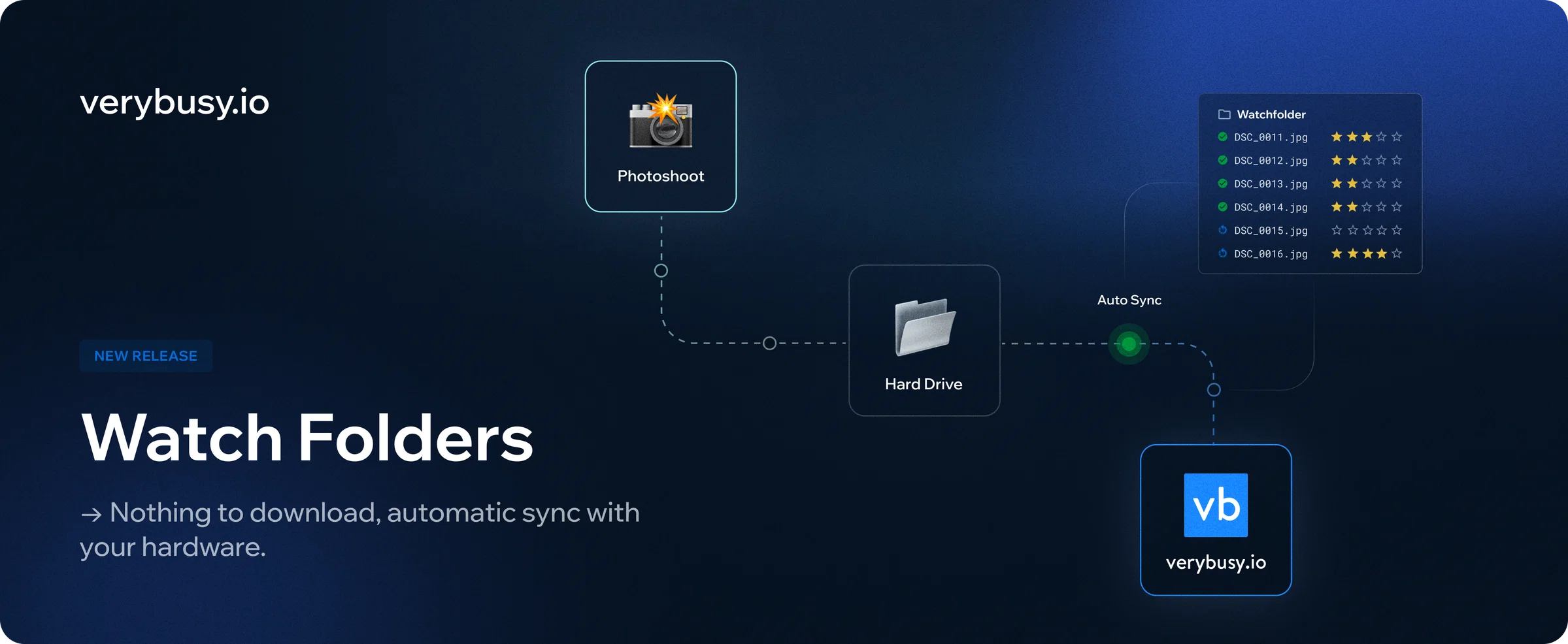
⚡ Watch Folders
Automatically send images from set directly into VeryBusy, kicking off the retouching process. Nothing to download. In VeryBusy, just select the folder from your hard drive, and as long as the browser window stays open, new images will appear in your project.
Still need to finalize selects? Invite the decision-makers to VeryBusy and work collaboratively toward final selects.
👉 Learn more about Watch Folders
This feature is in beta. Click the ? at the top-right of the app to let us know what you think.
⭐ Star Ratings
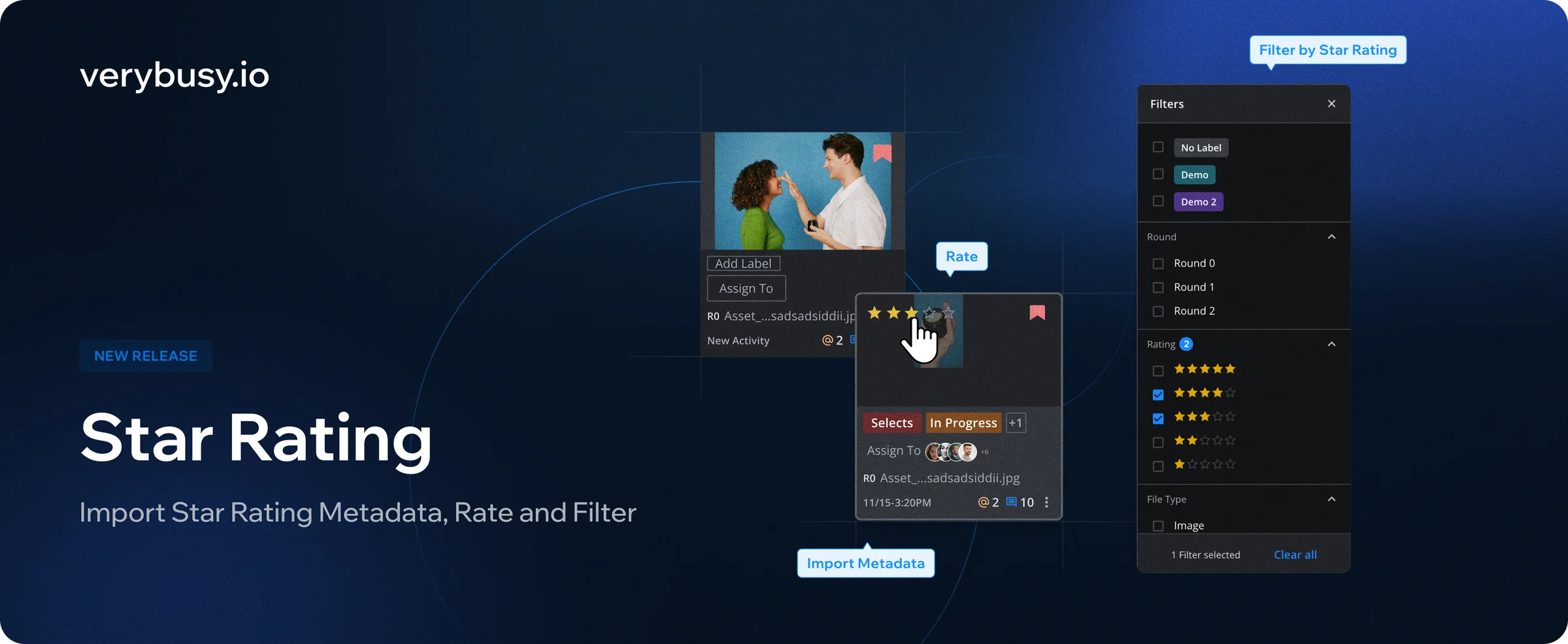
Make selects using star ratings within VeryBusy. VeryBusy will also now reflect any star ratings made before upload. Additionally, with Watch Folders, star ratings made on set will also carry over.
👉 Learn more about the Star Ratings
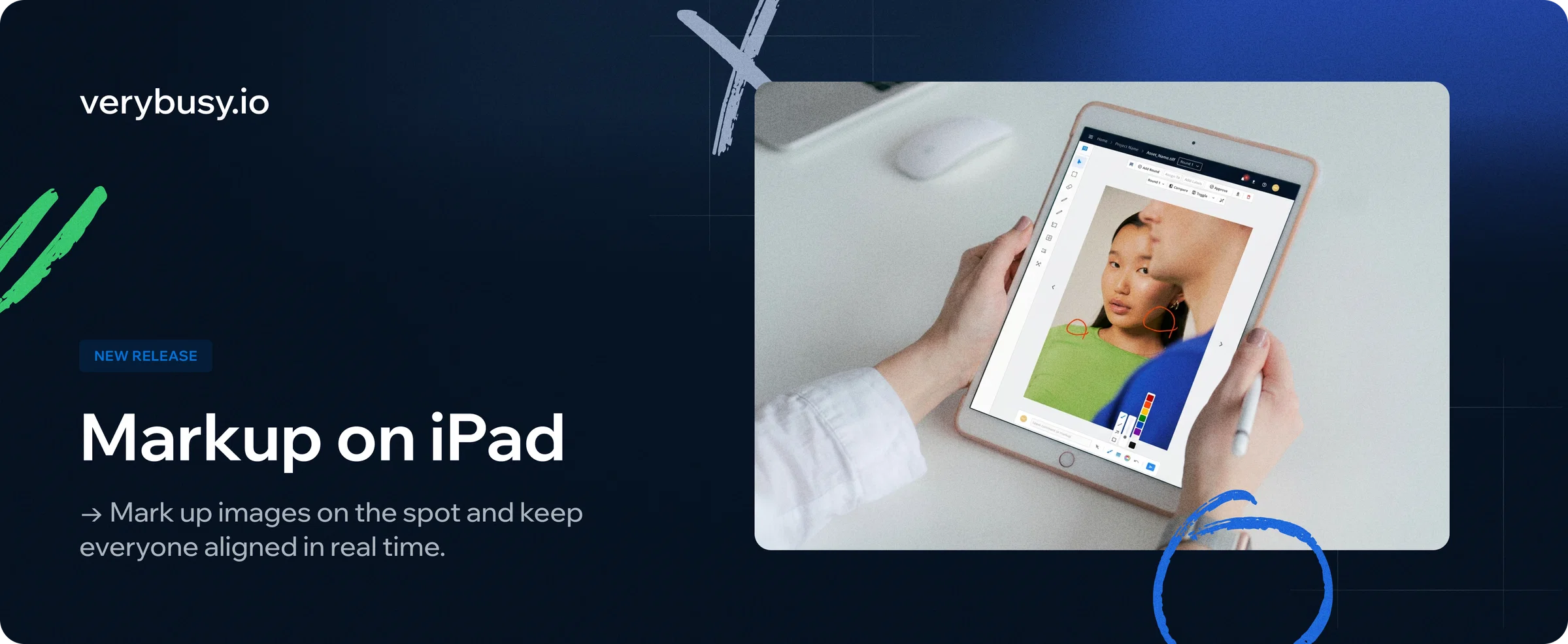
📱 Markup on iPad
iPad now supports the full markup experience. Draw annotations and leave precise on-image feedback.
Combined with Watch Folders, you can even do this while the shoot is still happening.
👉 Learn more about iPad support
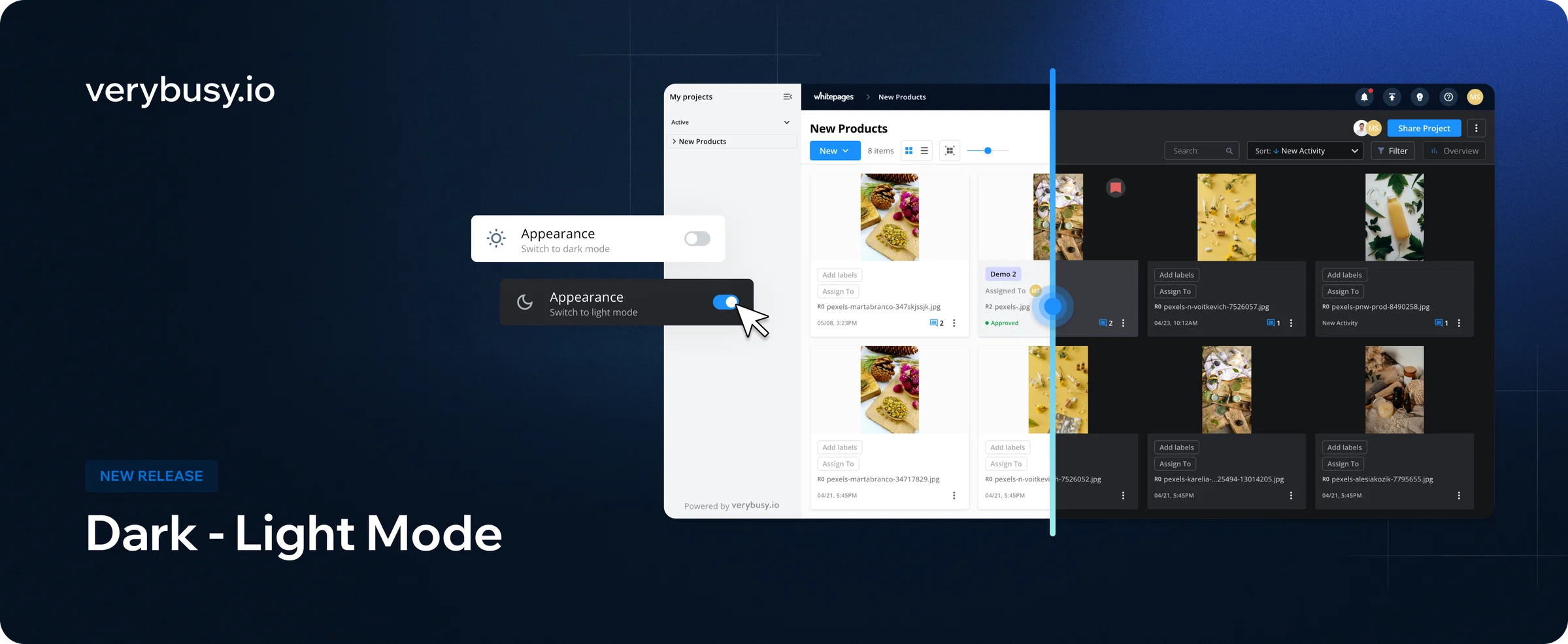
🌗 Dark Mode
Switch to dark mode with a simple toggle! We’ve configured our entire platform to support late-night reviews and color-critical work. Toggle once, and settings persist across sessions.
Something look weird? Click the (?) at the top-right of the app to let us know.
🆕 Fixes & Polish — straight from your feedback
- CSV downloads: export a full snapshot of a project to CSV, including filenames, round numbers, asset status, assignments, labels, and more. Useful for archiving, sharing project state with stakeholders, or pulling data into your own reporting. Learn more
- Scroll position: your scroll position within a project is saved! When you return to project thumbnails from markup view, you’ll land right back where you last were. No more re-scrolling through hundreds of files to find what you were working on.
- Expanded round-deletion permission: Project Owners and Project Managers can now delete a round regardless of who originally uploaded it. This expanded functionality keeps projects from being delayed if the original uploader isn’t available.
- Move-to-assets: This is a bug fix you found. Moving assets between projects and folders now works reliably in all scenarios, including nested folders and cross-project moves.